Introduction
We've all read the setup guide. Landing Zone Accelerator includes a deployment guide, an implementation guide, a config reference, a Well-Architected annex, and about forty blog posts that walk you through the wizard. I wrote three of those posts myself over the last two weeks: the research part 1, the fifteen deployment runs it took in part 2, and wiring up the MCP server afterward in part 3.
Then I decommissioned the whole landing zone, twelve days after I set it up.
This post is the part that is seldom written. Not because removing it is hard, but because the order you do it in is forced, getting it wrong is genuinely unrecoverable, and almost nothing is written down about either fact. I hit one deadlock that took real thinking to get out of and would have been trivial to avoid if anyone had mentioned it. But decommissioning doesn't happen as often as commissioning a landing zone. Ideally, you want your LZ to last a long time.
Let's go into the details.
The problem: I was paying $1660 a month now
The honest reason for the teardown is the bill. Here is what the management account looked like before and after LZA went in:
| Period | Total | Top drivers |
|---|---|---|
| August, pre-LZA | $45.64 | KMS $9.86, CodeBuild $9.34, tax $7.29 |
| Sep 1-25, LZA live from the 13th | $682.63 | VPC $225.56, Network Firewall $215.70, tax $110.48, KMS $35.97, Config $31.32 |
Twelve days of landing zone, roughly $55 a day, about a $1,660/month run rate against a $45 baseline. Thirty-five times the bill it was sitting on top of. However, it was fine, because I planned it as a lab environment.
Don't get me wrong, that number is not LZA's fault. It is exactly what you asked for when you deploy the reference architecture: a Transit Gateway, an AWS Network Firewall with stateful rule groups, IPAM with eleven pools, four NAT Gateways, twenty-nine VPC endpoints, Route 53 DNS Firewall, and Config plus Security Hub plus GuardDuty plus Macie recording across every account.
For an enterprise with workloads in those accounts, that is a reasonable price for a governed network. For my private organization, running some small workloads in any of the six accounts it created, it was a very expensive adventure. But as I said, it was more of a lab environment, because I wanted to see the ecs container deployment version of the LZA.
What was actually running
Worth writing the inventory down, because the size of it is the whole reason the order matters:
| Thing | Count |
|---|---|
| LZA stacks across six member accounts | 162 |
| LZA stacks in the management account | 22 |
| Control Tower stack instances in member accounts | 37 |
| Control Tower StackSets | 11 |
| Enabled Control Tower controls | 96, across 8 OUs |
| LZA-authored organization policies | 13 (8 SCPs, 1 RCP, 2 tag, 1 backup, 1 declarative) |
| Control Tower guardrail SCPs | 3 |
| Customer-managed KMS keys | ~53 |
| S3 buckets | 29 |
One more thing: the management account is not empty. It temporarily runs the site you are reading this on, plus a second static site, plus the bootstrap stack that manages my root mail setup. Those share buckets and KMS keys with LZA's resources. So "nuke the account" was never an option there, and that constraint shaped everything.
The order of the teardown
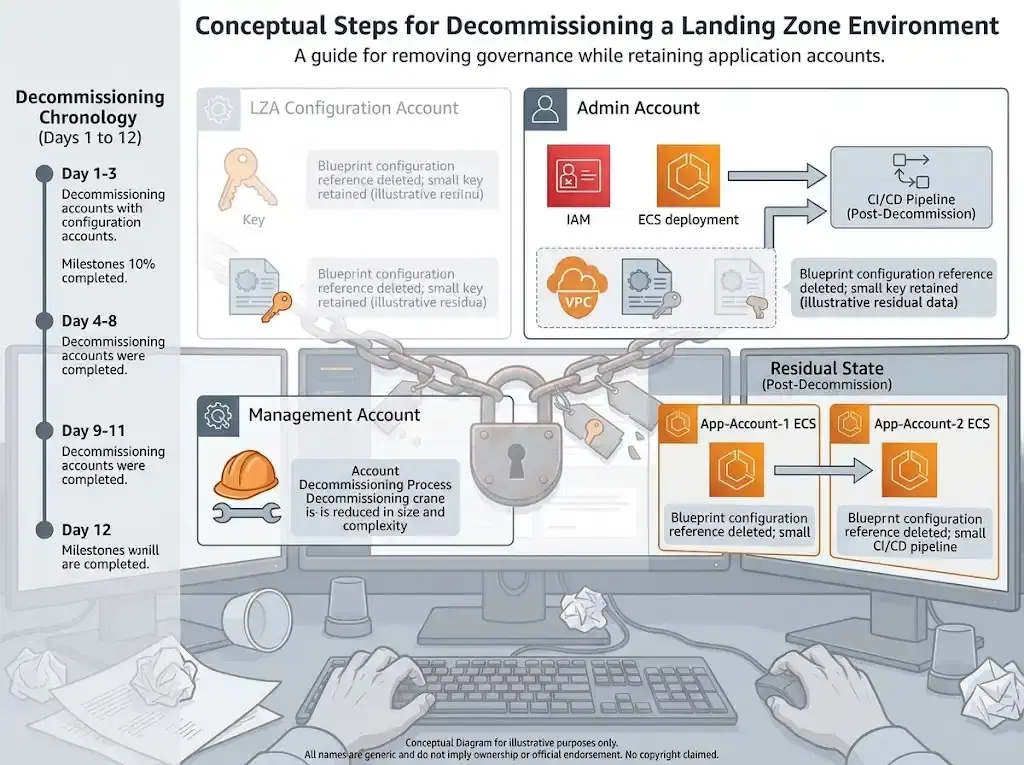
This is the part I would want someone to tell me. There are three phases, and their order is determined by three separate constraints that all happen to point the same way:
LZA must go before Control Tower. LZA's managementAccountAccessRole is
AWSControlTowerExecution. Control Tower's decommissioning deletes that role and hands back OrganizationAccountAccessRole in its place. If you decommission first, you are left holding 162 CloudFormation stacks in accounts you can no longer reach with the role LZA orchestrates through.
aws-nuke must come after Control Tower, not before. Two reasons. AWS states plainly that you cannot decommission a partially set-up landing zone, and a sweep that removes the Control Tower log buckets, the Config aggregator, and the StackSet-deployed resources leaves you in exactly that state with no supported way out. On top of that, Control Tower's three aws-guardrails-* SCPs deny the kind of deletions a sweep performs, and their own descriptions tell you not to detach them outside Control Tower. Decommissioning is the supported way to remove them.
The account you sweep last needs an admin role that survives step two. More on this below, but five of my six accounts already had OrganizationAccountAccessRole. One did not.
My rule of thumb for any teardown of layered governance: work out which layer owns your credentials before you work out which layer owns your resources. The resources are patient. The credentials are not. Once gone, you need to recreate them, in the worst case, with the root user.
The teardown, phase by phase
Two sittings, about five hours of actual work. I wrote it up as a seven-phase runbook where every destructive phase is gated on the previous phase's verification passing, and I recommend that shape regardless of what you are tearing down.
Phases 1 and 2: the safety net, then 162 stacks
Phase 1 deletes nothing. It snapshots the org tree, the policies, and the cost baseline, then does two things that matter enormously.
First, it creates OrganizationAccountAccessRole in the one member account that lacked one, the account LZA's container installer runs from. That account's only admin path was AWSControlTowerExecution, the role Control Tower deletes on the way out. Creating the standard role while the Control Tower role still worked is the single reason that account is still reachable today. If I'd done Control Tower first, it would now be permanently stranded: no admin role, nothing to assume, and no way to empty it (except via root user, of course)
Second, it sets an IAM account alias on all six accounts. aws-nuke v3 refuses to run against an account with no alias, and none of mine had one. Better to find that out in phase 1 than at 3 am in phase 6.
Phase 2 deletes the 162 LZA stacks across the six member accounts, newest first. Reverse creation order is a decent heuristic because LZA creates its stacks in dependency order, so unwinding newest-first usually satisfies the graph. It took 1h35m:
| Account | Stacks | Window (UTC) |
|---|---|---|
| Network | 56 | 15:19:16 to 16:53:34 |
| Perimeter | 32 | 15:42:20 to 16:28:10 |
| SharedServices | 24 | 15:43:44 to 16:30:15 |
| Audit | 17 | 15:45:18 to 16:15:36 |
| LZA Deployment | 17 | 16:28:44 to 16:53:43 |
| Log Archive | 16 | 15:46:27 to 16:15:05 |
Network starts first and finishes last because it holds the Transit Gateway, the Network Firewall, IPAM, and five VPCs. I worked on the accounts in parallel.
One thing phase 2 must not do: touch the 37 StackSet-AWSControlTower* stack instances that also live in those accounts. Those belong to Control Tower. Decommissioning removes them, and deleting them by hand is how you get the partially set-up landing zone AWS warns you about.
Phase 3: an unexpected deadlock
LZA creates its CloudFormation stacks with an explicit service role. That is --role-arn
pointing at AWSAccelerator-Deployment-Role for most stacks, or
AWSAccelerator-Management-Deployment-Role for PrepareStack. CloudFormation stores that role on the stack and uses it for every subsequent operation, including deletion.
Both roles are named AWSAccelerator-*.
So you delete LZA's stacks. Then you clean up LZA's leftover IAM roles by prefix, which is the obvious next move and which nothing warns you against. Now the stacks that haven't finished deleting cannot be deleted because the credentials CloudFormation needs to delete them are gone. And they are gone because they looked exactly like the stuff you were cleaning up. The stack is stuck because the role is missing, and the role is missing because it was named like the thing you were removing.
Four stacks hit this: SecurityResourcesStack, OrganizationsStack, LoggingStack, and PrepareStack.
The way out is to put the roles back, delete the stacks, then remove the roles again:
cat > trust-policy.json <<'JSON'
{
  "Version": "2012-10-17",
  "Statement": [{
    "Effect": "Allow",
    "Principal": { "Service": "cloudformation.amazonaws.com" },
    "Action": "sts:AssumeRole"
  }]
}
JSON

for r in AWSAccelerator-Deployment-Role AWSAccelerator-Management-Deployment-Role; do
  aws iam create-role --role-name "$r" \
    --assume-role-policy-document file://trust-policy.json
  aws iam attach-role-policy --role-name "$r" \
    --policy-arn arn:aws:iam::aws:policy/AdministratorAccess
done
Both stacks then still refused to be deleted. CloudFormation could not remove the resources on its own, so they needed --retain-resources, which only works on a stack already in DELETE_FAILED state:
aws cloudformation delete-stack --region eu-central-1 \
  --stack-name "AWSAccelerator-SecurityResourcesStack-<MGMT_ACCOUNT_ID>-eu-central-1" \
  --retain-resources ConfigDeliveryChannel AwsAcceleratorEmrKerberosEnabledDB6C189D

aws cloudformation delete-stack --region eu-central-1 \
  --stack-name "AWSAccelerator-PrepareStack-<MGMT_ACCOUNT_ID>-eu-central-1" \
  --retain-resources CreateOrganizationAccountsServiceRole99CB3720 \
                     CreateOrganizationAccountsCreateOrganizationAccountStatusServiceRoleDefaultPolicy217D2441
Then take the temporary roles back out again. I will clean the retained resources later during the nuke phase.
The lesson is: delete every LZA stack before you touch a single AWSAccelerator-* IAM role. Treat those two service roles as part of your access path, not as leftovers.
I handled the management account entirely by name: an explicit manifest of twenty stacks to delete in order, and a short list to keep—no patterns, no sweeps, nothing clever. When an account runs your actual websites, "delete everything matching this prefix" is not a command you type.
Phase 4: Control Tower, gone in eighteen minutes
This was the anticlimax of the entire project, and I mean that as praise.
LZ=$(aws controltower list-landing-zones --query 'landingZones[0].arn' --output text)
OP=$(aws controltower delete-landing-zone --landing-zone-identifier "$LZ" \
  --query 'operationIdentifier' --output text)
Then poll get-landing-zone-operation until it moves off IN_PROGRESS. Mine ran from 17:48:44Z to 18:07:08Z: eighteen minutes and twenty-four seconds to remove a landing zone carrying 96 enabled controls across eight OUs, eleven StackSets and thirty-seven stack instances. It accepted the call on the first try. I never had to turn off a single control by hand, even though I wrote a fallback loop to do exactly that.
Eighteen minutes to remove what took fifteen attempts to deploy. But to be fair, it wasn't a fully clean, fresh AWS management account.
Afterward, AWSControlTowerExecution was gone in all six accounts, and
OrganizationAccountAccessRole worked in all six, including the one that only had it because phase 1 created it.
Phase 5: the part decommissioning does not do for you
AWS documents this as "manual cleanup tasks required after decommissioning", which undersells it considerably. After the landing zone was gone, the organization still had:
- Two delegated administrators, one of them pointing at an Audit account I closed in 2024
- Five security-service principals with organization access
- GuardDuty, Security Hub, and Macie all still running
- An
AWSControlTowerManagedRuleEventBridge rule in each account - About 85
AWSAccelerator-*IAM roles in the management account
None of that goes away on its own. The sequencing that matters here is per service: turn off the member associations, then the org-level configuration, then deregister the delegated administrator. GuardDuty, Security Hub, and Macie all reject deregistration while the service is still organization-enabled in members.
Two of those three services turned out not to be LZA's. GuardDuty and Security Hub were both created on 2024-04-01, eighteen months before this deployment. They are residue from an earlier Control Tower attempt I had forgotten about, and Security Hub was a line item in my August bill. Only Macie was actually created by LZA. A teardown surfaces the sediment of every previous attempt, not just the one you are removing.
Phase 6: aws-nuke, fifty-seven minutes
I have written about using aws-nuke with LZA and Control Tower before, but that post is the opposite of this one: it is about resetting sandbox accounts while protecting the landing zone baseline. This time the baseline is the target.
The config is short because the whole safety story is in two places:
regions:
  - eu-central-1
  - global

# The management account runs the sites. aws-nuke refuses to run without a
# blocklist, and this single entry is the entire safety net.
blocklist:
  - "<MGMT_ACCOUNT_ID>"

settings:
  CloudFormationStack:
    DisableDeletionProtection: true
  EC2Instance:
    DisableDeletionProtection: true

presets:
  # aws-nuke deletes IAM roles. Without this, it removes the role it is
  # authenticating with, severs its own access mid-sweep, and leaves the
  # account half-emptied and unreachable.
  preserve-access:
    filters:
      IAMRole:
        - type: exact
          value: "OrganizationAccountAccessRole"
      IAMRolePolicyAttachment:
        - type: contains
          value: "OrganizationAccountAccessRole"

accounts:
  "<AUDIT_ACCOUNT_ID>":
    presets:
      - preserve-access
  "<LOG_ARCHIVE_ACCOUNT_ID>":
    presets:
      - preserve-access
  "<NETWORK_ACCOUNT_ID>":
    presets:
      - preserve-access
  "<PERIMETER_ACCOUNT_ID>":
    presets:
      - preserve-access
  "<SHAREDSERVICES_ACCOUNT_ID>":
    presets:
      - preserve-access
  "<DEPLOY_ACCOUNT_ID>":
    presets:
      - preserve-access
That preserve-access preset is not optional. aws-nuke authenticates as
OrganizationAccountAccessRole and IAM roles are in scope for deletion, so without the filter it cheerfully deletes its own credentials partway through and leaves you locked out of a half-empty account.
aws-nuke run is a dry run by default, which is the correct default:
# Dry run. Read the list.
aws-nuke run \
  --config nuke-config.yaml \
  --profile <YOUR_PROFILE> \
  --assume-role-arn arn:aws:iam::<TARGET_ACCOUNT_ID>:role/OrganizationAccountAccessRole \
  --assume-role-session-name lza-decom
and then run it with --no-dry-run:
# For real.
aws-nuke run \
  --config nuke-config.yaml \
  --profile <YOUR_PROFILE> \
  --assume-role-arn arn:aws:iam::<TARGET_ACCOUNT_ID>:role/OrganizationAccountAccessRole \
  --assume-role-session-name lza-decom \
  --no-dry-run
Results: six accounts, about 66 minutes of actual run time:
| Account | Window | Removed | Failed | Skipped |
|---|---|---|---|---|
| Audit | 5m27s | 2434 | 2 | 269 |
| Perimeter | 2m51s | 64 | 0 | 273 |
| SharedServices | 2m48s | 62 | 0 | 273 |
| Network | 2m44s | 66 | 0 | 277 |
| Log Archive | 51m48s | 49782 | 0 | 271 |
| LZA Deployment | 4m02s | 2065 | 0 | 274 |
Log Archive is the biggest block. Nearly fifty thousand objects, fifty-one of the sixty-six minutes, and 85MB of log output on its own, more than the other five accounts combined by an order of magnitude. That is what a Control Tower log archive accumulates in twelve days of governing an estate where nothing is happening: Config change notifications, CloudTrail, and access logs for the access logs.
Two things about that table. The ~270 "skipped" per account never go away no matter what your config says: AWS service-linked roles, AWSReservedSSO_* roles, AWS-managed KMS keys, keys already pending deletion. A clean sweep still leaves two dozen roles standing.
Phase 7: parking the accounts
Six move-account calls into the Suspended OU, seven delete-organizational-unit calls to remove the emptied tree, done in minutes. All twenty-five member accounts now sit in one OU under a root with zero customer-managed policies attached to anything.
The accounts stay open. Closing them is a separate, irreversible decision, and parking is reversible, so I parked them. One caveat I will note because it surprised me: the organization management account cannot be moved into an OU at all. AWS keeps it at the root by design. So "every account in the Suspended OU" means every account that can be.
Two traps with the same shape
The deadlock in phase 3 and the aws-nuke failures in phase 6 are the same mistake.
Audit was my organization's GuardDuty and Macie delegated administrator, with the other five accounts enrolled as members. In phase 5, I deregistered that relationship at the Organization level with organizations:deregister-delegated-administrator. That call succeeded. So when aws-nuke tried to delete the detector in phase 6, I was surprised to get:
GuardDutyDetector: BadRequestException: The request is rejected. You must first
disassociate your member accounts and delete invited member accounts.

Macie: ConflictException: The request failed because one or more member accounts
are associated with your account. Delete the associations and try again.
Deregistering a delegated administrator in Organizations removes an Organizations record. GuardDuty and Macie separately track their own member associations, via
guardduty:disassociate-members and macie2:disassociate-member, from the delegated-admin account.
Neither service will let you delete its detector or session while those member records exist, regardless of what Organizations thinks about who the administrator is.
Same shape as the CloudFormation service role. In both cases, I removed a record, assumed the thing it pointed at was now unblocked, and discovered the actual blocker was a different record in a different service's internal state. The general form:
| What I removed | What actually blocked me |
|---|---|
| The IAM role named like LZA debris | CloudFormation's stored service role on each stack |
| The Organizations delegated-admin record | GuardDuty's and Macie's own member-association records |
aws-nuke retried both six times and then exited with level=fatal, which looks alarming in a log that
has just successfully removed 2434 resources. It is not. The correct response is a second --no-dry-run pass, not panic. By the next morning, both had cleared on their own.
What it cost, and what came back
Five hours of work across two sittings, and the expensive part took ninety-five minutes. Network Firewall, the Transit Gateway, all four NAT Gateways, and twenty-nine VPC endpoints all went in phase 2. At $55 a day, everything after that was correctness work rather than cost work, which is a useful thing to know if you are ever doing this under budget pressure. Kill the network layer first, then take your time and be careful with everything else.
The full billing period hasn't closed yet, so I don't have the final number. I expect to land near the $45 baseline or slightly under it, since GuardDuty and Security Hub went too, and they predated LZA. KMS will decay over the seven-to-thirty-day key-deletion windows rather than dropping immediately, so the graph will drift down for a month instead of falling off a cliff.
The end state is a plain AWS Organization. One OU, twenty-five accounts parked in it, zero customer-managed policies, no landing zone, no accelerator, and both of my sites still returning 200 throughout; I checked that at the end of every phase, because that was the one outcome I was not willing to get wrong.
Conclusion
Would I deploy LZA again? For a client with real workloads across real accounts and a compliance obligation, yes. But wait for more blog posts about NTC, which I prefer.
For a private organization with small workloads, I was buying a reference architecture I had no use for, and I knew that within a fortnight. That is a me problem, not an LZA problem.
What I would change is the preparation. Before you deploy something this large, spend an hour writing down how you would remove it: which layer owns your credentials, which roles are part of your access path, and which account you would sweep last. I wrote that document after I needed it. Writing it first would have cost an hour and saved me the deadlock.
If you are about to tear one of these down, the three things I would tell you are:
- LZA before Control Tower before aws-nuke, in that order, for reasons that are unrecoverable if you get them wrong.
- Delete every stack before you touch an IAM role.
- And check your sites at the end of every phase, not just at the end.
I hope this saves you the six minutes I spent staring at four stuck stacks, wondering what I had done. Happy decommissioning if you ever need it!
This post was written with AI assistance and verified plus enhanced by a human.