Introduction
I've been running my Landing Zone Accelerator since 2023, moved the config repo off CodeCommit onto S3 last year, and along the way found aws/lza-universal-configuration while it was still at v1.0.0. All of that runs on the classic CodePipeline + CodeBuild pipeline, and as I wrote in my NTC deep dive, a pipeline cycle takes 45 to 75 minutes, and I've learned to plan my day around it. Ideally, you want those changes to be rolled out faster.
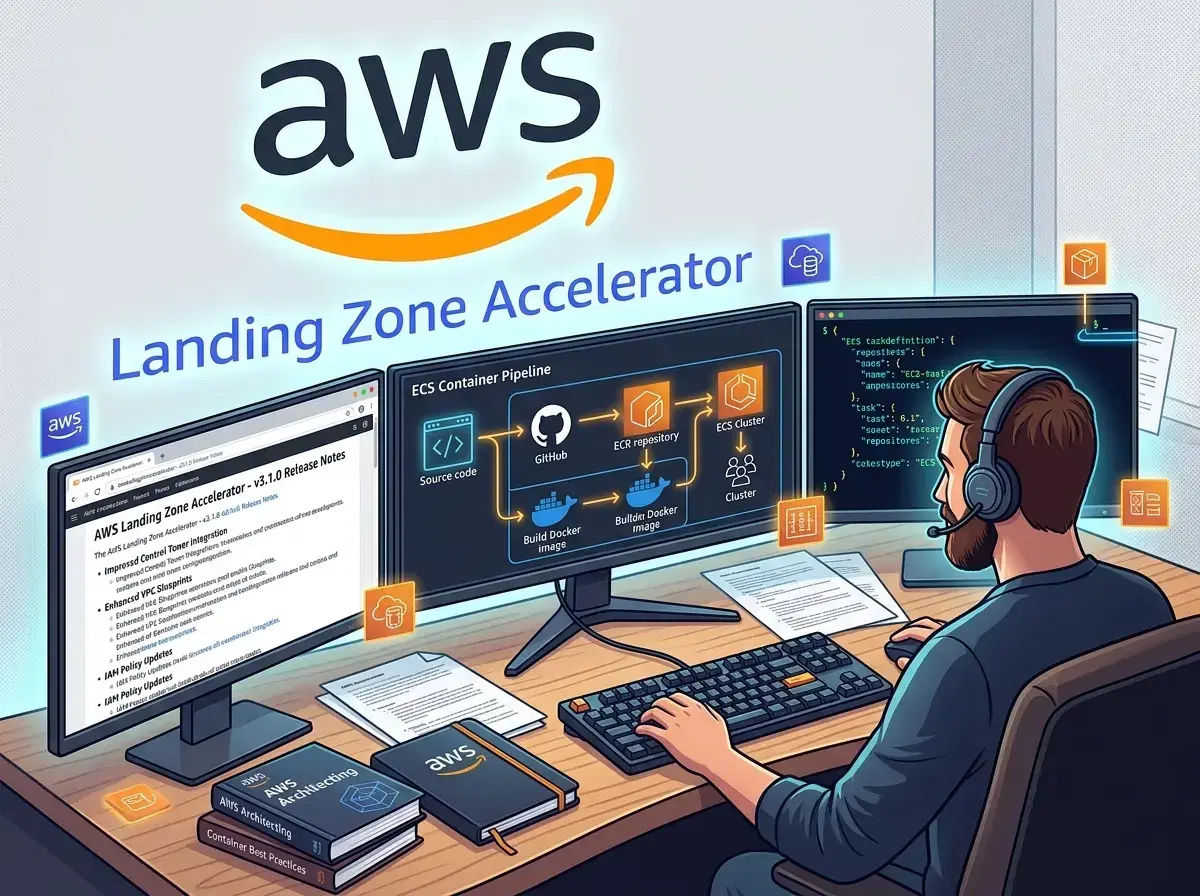
AWS shipped LZA v1.16.2, lza-universal-configuration reached v1.3.1, and there's now an official MCP server for talking to LZA from an AI assistant. I wanted to try the first two together, but not on my production landing zone. So I stood up a fresh environment specifically to test the container (ECS) deployment mode instead of CodePipeline, seeded from the latest universal configuration.
This is the research half. What changed in v1.16.2, why the container deployment mode exists, what the container/ folder in the repo says that the rendered docs don't, and how I planned to seed the config. Part 2 is what happened when I ran it.
Let's start with part 1 of this 3-post series.
The challenge
My existing setup works fine, but it carries two things I'd rather not drag into a new environment unmodified:
- CodePipeline and CodeBuild aren't available in every AWS partition. AWS European Sovereign Cloud is best clearest example: no CodePipeline, no CodeBuild. If I ever need a landing zone in a partition like that, the classic deployment model won't work.
- A CodePipeline-based deployment is persistent infrastructure, running whether or not I'm actively changing anything. For a short-lived evaluation account, that's overhead I don't need.
LZA has had a container-based deployment option since v1.15.0, built specifically to solve the first problem. I wanted to know whether it also solves the second one well enough to become my default for new environments, not just a fallback for non-pro regions.
What's new in LZA v1.16.2
Before touching any installer stack, it's worth knowing what changed. The headline feature in v1.16.2 (released July 29, 2026, up from v1.15.5) is a module orchestration framework: selected resources move from being CloudFormation-managed to module-managed, tracked in DynamoDB (<acceleratorPrefix>-Module-State-*, <acceleratorPrefix>-Resource-Retention-*) instead of stack state. The first resources migrated this way are Amazon Macie and Transit Gateway route table associations, propagations, and Direct Connect gateway associations.
That TGW migration matters more than it sounds. CloudFormation stacks cap out at 500 resources, and large multi-VPC-attachment deployments have been hitting that ceiling for a while. I've got a dedicated Network-eu-west-1-TGW OU in my own setup, so this is exactly the kind of limit I'd eventually run into. Moving TGW associations to direct API calls sidesteps it entirely. But the question is, is this the right way? But maybe it is, until CloudFormation can handle more resources.
A few other changes worth flagging before an upgrade:
- A static HTML diff viewer (
Diffs/<pipelineExecutionId>/diff-viewer.htmlin the pipeline S3 bucket), with the manual-approval step now linking to it directly. - IAM trust policy
conditionsiniam-config.yaml: you can scope a role's trust policy withStringEquals/ArnLike/StringLikeper principal, merged withexternalIds. enableRoutePropagationon route tables innetwork-config.yaml, so BGP routes from a VPN gateway propagate automatically.controlTower.controls[].parametersinglobal-config.yaml- you can now pass parameter values to parameterized Control Tower controls instead of only deactivating or activating them.- Session policies that scope each module's cross-account credentials to least privilege for that module's job, not blanket admin.
One operational feature: upgrading adds two new DynamoDB tables and a log group to the installer stack, and for container and external-pipeline deployments, those get named with your AcceleratorQualifier prefix (e.g. lza1-) instead of AWSAccelerator*. If you've got SCPs or guardrails scoped to AWSAccelerator*, they won't automatically cover the new resources - check your guardrails right after upgrading. Standard CodePipeline deployments keep the AWSAccelerator prefix, so you need to consider this for the deployment mode I was about to use.
It comes back in Part 2, from a different angle.
Control Tower and the container (ECS) deployment
Despite the version number, container deployment isn't new in v1.16.2. It shipped in v1.15.0 as a way to run LZA in regions "without support for CodeBuild and CodePipeline services." AWS European Sovereign Cloud is the case study AWS cites: ECS, S3, and SSM are available there; CodePipeline and CodeBuild are not.
What replaces CodePipeline
The architecture swap is as follows:
| CodePipeline deployment | Container (ECS) deployment | |
|---|---|---|
| Orchestration | CodePipeline + CodeBuild | ECS Fargate task, started via SSM Automation |
| Stage execution | Parallel where the dependencies allow - the Deploy stage runs three actions at a time per runOrder wave | Strictly sequential, one bash loop over a fixed stage list |
| Config source | CodeCommit or S3 | S3 only |
| Regional availability | Needs CodePipeline + CodeBuild in-region | Works wherever ECS, S3, and SSM exist |
| Diff / plan view | Yes - static HTML diff viewer as of v1.16.2 | Not yet - explicitly "no diff" per the container FAQ |
| Accounts | Management (+ existing accounts) | Management + a dedicated "LZA Deployment" account |
| Resource naming | AWSAccelerator-* | AcceleratorQualifier-prefixed (qualifier is required) |
| Migration between the two | n/a | None. No documented path either way, see issue #1056 |
AWS ships a diagram of it in the solution repo, and it shows the account split better than my table does:
Source: container/images/lza-container-deployment-architecture.webp from the LZA repo at v1.16.2 (Apache-2.0).
Note where the config lives: S3 sits in the LZA Deployment account next to the automation and the ECS task, and only the role assumption crosses into the management account. That's the "Management + a dedicated LZA Deployment account" row above, drawn out.
The SSM Automation document runs three steps:
RunTaskstarts the Fargate task in a private subnetWaitForTaskCompletionpolls for up to 12 hours until it reportsSTOPPED,- and
CheckTaskExitCodedecides pass or fail. The container image itself is public:public.ecr.aws/aws-solutions/landing-zone-accelerator-on-aws.
Worth calling out explicitly, because it's easy to assume otherwise: this isn't a cost play or an air-gap feature by default. The documented reason to use it is regional service availability, not price. It's also not a migration path - there's no documented way to move an existing CodePipeline-based deployment onto container deployment. It's a from-scratch installation into a fresh set of accounts.
Someone asked the LZA team directly in issue #1056, "Migration path from codepipeline deployment to container deployment," and the team's answer is unambiguous:
There are some limitations with the container deployment method at this time, and we recommend continuing to use the CodePipeline deployment for most use cases. The container deployment was primarily designed to enable deployment in AWS regions without support for CodeBuild and CodePipeline services. [...] We are actively working on improvements to the container deployment approach and will provide comprehensive migration documentation once we are confident in recommending it for broader adoption.
Stay on CodePipeline unless you have a specific regional requirement, and there's no migration story yet, only two independent installations. Exactly why I tested container deployment in a throwaway environment instead of anywhere near my production landing zone.
There's technically a third mode too, "external pipeline" deployment - bring-your-own CI/CD instead of AWS's own. I couldn't find a dedicated doc page for it beyond a few changelog mentions, so I left it out rather than guessing at how it differs from container deployment.
Confirming it in the console
I didn't want to take the docs' word for "two separate templates," so I opened the standard installer's create-stack wizard in the console, clicked Next exactly once, and stopped there without submitting anything.
Step 1 confirms the S3 template URL is AWSAccelerator-InstallerStack.template - the standard, CodePipeline-based installer, not the container one:
Step 2, "Specify stack details," lists every parameter this template exposes: Source Code Repository Configuration (GitHub owner/repo/branch, pinned to release/v1.16.2), Pipeline Configuration (the manual approval stage), Mandatory Accounts Configuration, Environment Configuration (Control Tower toggle, resource prefix, diagnostics pack), and Config Repository Configuration (CodeCommit, S3, or CodeConnection as the source, including a CodeConnection ARN field for GitHub- or Bitbucket-hosted config).
Nowhere in that list is there an ImageUri, an AcceleratorQualifier, or any "deployment type" toggle. It's exactly what the docs implied, but I hadn't verified myself: AWSAccelerator-InstallerStack.template and AWSAccelerator-InstallerContainerStack.template are two entirely separate CloudFormation templates with two disjoint parameter sets, not one template with a mode switch tucked away in it. Picking container deployment means starting from the other template's URL, not finding a checkbox on this one. I clicked Cancel right after this screenshot - no stack got created, nothing was deployed.
I originally worked from the v1.15.5 docs on GitHub for this section. Checking out the repo pinned to v1.16.2 and reading the actual container/ folder - README, install scripts, and the Dockerfile.
The official install instructions live at container/README.md on the release/v1.16.2 branch, and that's the guide I followed step by step.
Setting up the accounts and roles
The official flow is three steps:
- Set up the Management account
- Set up the LZA Deployment account
- Then deploy the solution.
Two accounts minimum, but the source has detailed what the web docs didn't show for me earlier:
- The Management account only needs AWS Organizations enabled with all features. Nothing else.
- The LZA Deployment account can be a brand-new member account or an existing standalone account invited into the org. Either way, the IAM role name you bootstrap it with depends on the deployment type:
AWSControlTowerExecutionfor Control Tower deployments,OrganizationAccountAccessRolefor Organizations-only ones. AWSAccelerator-ContainerDeploymentRolein the Management account isn't just "trust the LZA Deployment account" - the recommended trust policy scopes it down to roles matching the installer stack name:
{
  "Version": "2012-10-17",
  "Statement": [
    {
      "Effect": "Allow",
      "Principal": {
        "AWS": "arn:${PARTITION}:iam::${LZA_DEPLOYMENT_ACCOUNT_ID}:root"
      },
      "Action": "sts:AssumeRole",
      "Condition": {
        "StringLike": {
          "aws:PrincipalArn": "arn:${PARTITION}:iam::${LZA_DEPLOYMENT_ACCOUNT_ID}:role/${STACK_NAME}-*"
        }
      }
    }
  ]
}
${STACK_NAME} is the installer stack name (AWSAccelerator-InstallerContainerStack by default). Only ECS task roles created by that stack can assume in the Management account, not anything else running in the Deployment account. AdministratorAccess still gets attached to the role, so that scoping condition is the one thing standing between "this account can deploy LZA" and "this account can do anything in my org." Pairing it with an SCP is exactly what the docs recommend.
You also need four unique account emails up front, validated at stack-deploy time: Management, Log Archive, Audit, and LZA Deployment.
What actually happens inside the container
Reading container/scripts/run-lza.sh and run-pipeline.sh showed something the rendered README doesn't tell: the config isn't a live-synced S3 prefix, it's a zip file. The entry point downloads whatever CONFIG_S3_PATH points to, unzips it, and only then hands off to the pipeline script. If nothing exists at that path yet, it bootstraps a fresh config via init-config.ts first.
Once the config is in place, run-pipeline.sh does roughly this:
- Validates the config with
yarn validate-config- fails fast, before touching a single stack, if something's wrong - Deploys the
prepareandaccountsstages first, since those create the org structure and accounts everything else depends on - Bootstraps every account
- Runs the remaining stages in order:
key,logging,organizations,security-audit,network-prep,security,operations,network-vpc,security-resources,identity-center,network-associations,customizations,finalize
There's also a synth-only mode that runs the same stage sequence but stops before deploying anything, backing up the synthesized CloudFormation templates to S3 instead. That's the closest possibility to a dry run this deployment mode currently has, and given the FAQ's "no diff yet" admission, I planned to lean on it before every real run.
However, that plan actually deployed live infrastructure in the environment. Part 2 explains it in more detail.
Launching and watching it
With the accounts and roles ready, deploying the stack itself is the easier part:
- Deploy
AWSAccelerator-InstallerContainerStack.templateinto the LZA Deployment account. Beyond the parameters already covered,PythonRuntimeVersionandLogLevelare worth a glance. If you skipUseExistingVpc, the installer creates its own10.0.0.0/16VPC across two AZs. The docs are explicit that this VPC should stay isolated from workload networks, not peered or attached to a Transit Gateway, since it exists only to run deployment tasks. - Wait for
CREATE_COMPLETE, typically 10 to 15 minutes. - Find the SSM document named
{AcceleratorQualifier}-RunEngineunder Systems Manager > Documents > Owned by me, and execute it. - Watch
/ecs/{AcceleratorQualifier}-lza-deploymentin CloudWatch Logs. The automation also returns aTaskArn,ClusterName,ExitCode, andStopReasonthat you can check without leaving Systems Manager.
Setting ControlTowerEnabled: Yes is what lets LZA deploy Control Tower for you instead of doing it by hand first. The prerequisite list for that auto-deploy path is narrow: Organizations with all features enabled, no OUs yet, no services enabled at the org level, only the management account in the org, no IAM Identity Center configured, and none of the Control Tower service roles already present.
These six conditions must be met, but they weren't for me. Part 2 goes into more detail and how I solved them.
A first-time deployment can fail with Failed to publish asset / Bucket exists, but we don't have access to it, because the cross-account bootstrap permissions haven't fully propagated yet. The fix is simple: retry the automation, and it succeeds because everything's already in place by then.
Also good to remember if you bring existing accounts into the org instead of letting the installer create them: the engine expects accounts to be members already, and fails with Account Name not found for [AccountName] if they aren't. The fix lives in accounts-config.yaml: add an accountIds block mapping each account's email to its ID, and the engine invites it instead of assuming it's already there.
My rule of thumb after reading through all of this: stay on the CodePipeline deployment if CodePipeline and CodeBuild are available in your region. The diff viewer alone is worth it, and container deployment openly admits it isn't feature-parity yet and probably won't be. Reach for container deployment when the region doesn't support CodePipeline/CodeBuild, or when you specifically want to evaluate a leaner footprint for a short-lived environment, which was my case here.
Seeding the config from lza-universal-configuration v1.3.1
I wasn't going to write accounts-config.yaml and the other configs from scratch. When I found lza-universal-configuration, it was at v1.0.0 and genuinely hard to navigate. v1.3.1, released July 31, 2026, is a lot more capable:
- AWS European Sovereign Cloud partition support, paired with the container deployment model
- Amazon Bedrock AgentCore SCP guardrails (three new SCP statements,
GRAGENTCORE1/2/3, enforcing VPC isolation and KMS encryption for AgentCore runtimes, code interpreters, browsers, and memory) - Data perimeter RCPs for STS, SQS, and Secrets Manager (
GRSTSDPB,GRSQSDPB,GSMDPB), blocking access from outside your org - Bedrock AgentCore VPC PrivateLink endpoints, DNS Firewall rule groups, Transit Gateway flow logs, org-wide Route 53 Resolver query logging, and CloudFormation stack policies on critical networking resources
One bug fix in this release is worth planning around: the egress VPC's Transit Gateway route table association pointed at the wrong target (tgw-rt-firewall instead of tgw-rt-spoke), and the fix note explicitly says it needs two pipeline runs with a change window, since applying it causes connectivity downtime.
The repo ships two network patterns side by side, modules/network/hub-and-spoke and modules/network/shared-vpc, plus the shared modules/base/default files (accounts, global, IAM, organization, security, replacements config, and policy subfolders for backup, tagging, SCPs, RCPs, and more). There's still no customizations-config.yaml in the repo. You'll need to do workload-specific customizations yourself.
The flow is the same one I used for the CodePipeline setup: deploy the base LZA solution first, download the release zip for the pattern you want from the releases page, copy the config/ contents into your Configuration Repository, fill in the mandatory fields (account emails in accounts-config.yaml, home/enabled regions and notification emails in replacements-config.yaml), and push.
For the container deployment specifically, "push" means something more literal than it does on my CodePipeline setup. As I found reading the source in the previous section, the container downloads a zip file from the S3 key in CONFIG_S3_PATH and validates it before touching a single stack - there's no live-synced prefix, no CodeCommit. So the actual step is: merge the universal configuration's config/ folder into my local config directory, zip the result, and upload it to that S3 key.
One number worth knowing before you commit to hub-and-spoke: the README's own cost estimate is $1,372.11/month for that pattern in us-east-1 with zero workload activity - Network Firewall alone is $587.76 of that. That's before a single EC2 instance runs. For my throwaway evaluation account, I went with shared-vpc.
Research is not the execution
Reading all of this took a morning, and it paid for itself. I went in knowing which SCPs to check after a v1.16.2 upgrade, that the config is a zip and not a synced prefix, that synth mode exists, that the two installer templates are genuinely separate, and that hub-and-spoke would cost more per month than the evaluation was worth.
None of it told me anything about the account I was deploying into. Every document I read describes a clean org: Organizations enabled, nothing else. Mine had been the real management account since 2024, with a production LZA installation that has since been decommissioned.
That gap is the whole of Part 2: fifteen automation runs, a Control Tower landing zone I had to build by hand first, and a guardrail from the old installation that locked the new one out of its own ECS cluster. But this happens when you install in a kind of brownfield. The experience was worth it.
If you're planning the same thing, read this post for the mechanics, and that one before you pick the account. You can also use the AI companion of your choice to help.
Update: I tore this environment back down twelve days later. Decommissioning turned out to have an order too, and getting it wrong is unrecoverable - the full sweep is in Decommissioning the Landing Zone Accelerator and Control Tower, Twelve Days Later.
This post was written with AI assistance and verified plus enhanced by a human.